How Payment Automation Saves Time and Increases Revenue
Running a business involves much more than selling products or services. Every day, business owners spend valuable time checking payments, verifying transactions, matching customer orders, sending confirmations, and resolving payment-related issues. As transaction volume grows, these manual tasks become increasingly difficult to manage.
This is where Payment Automation makes a significant difference.
Payment automation simplifies payment collection, reduces manual effort, improves operational efficiency, and helps businesses process more orders without increasing administrative workload.
Whether you run an eCommerce store, educational platform, digital service, or subscription-based business, automating your payment process can help you save time while increasing overall revenue.
What is Payment Automation?
Payment Automation is the process of using technology to automatically collect, verify, and record customer payments without requiring manual intervention.
Instead of checking bank statements, confirming screenshots, or updating spreadsheets, the system performs these tasks automatically.
A complete payment automation system can:
- Generate payment requests
- Create Business QR Codes
- Verify successful payments
- Update order status
- Send customer confirmations
- Trigger webhooks
- Generate payment reports
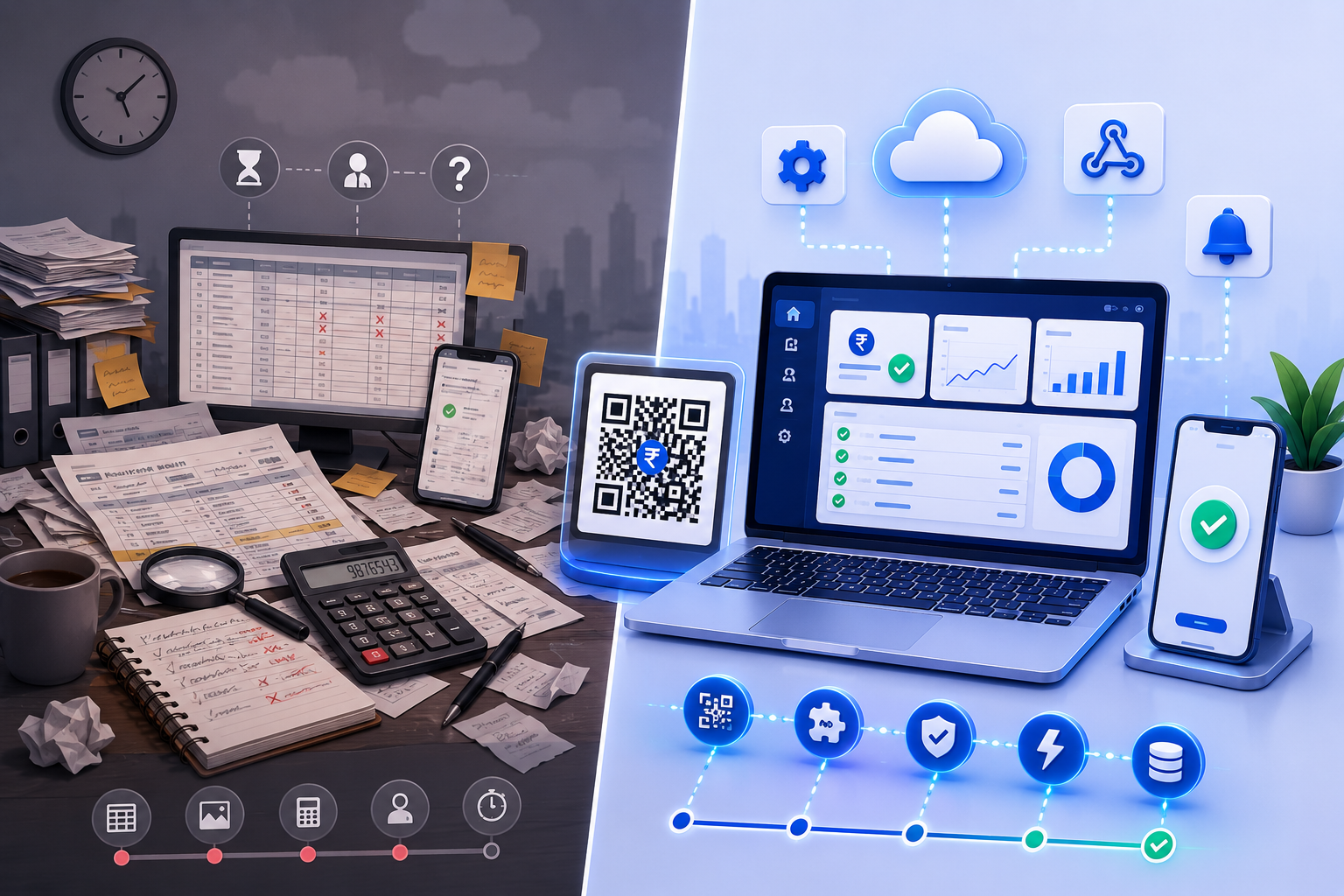
Problems with Manual Payment Collection
Many businesses still rely on manual payment verification.
This usually looks like:
- Customer sends payment screenshot
- Staff checks bank account
- Payment is verified manually
- Order is approved
- Customer receives confirmation
Although this works for small businesses, it becomes inefficient as payment volume increases.
Common challenges include:
- Human errors
- Delayed verification
- Missed payments
- Fake payment screenshots
- Slow order processing
- Poor customer experience
How Payment Automation Works
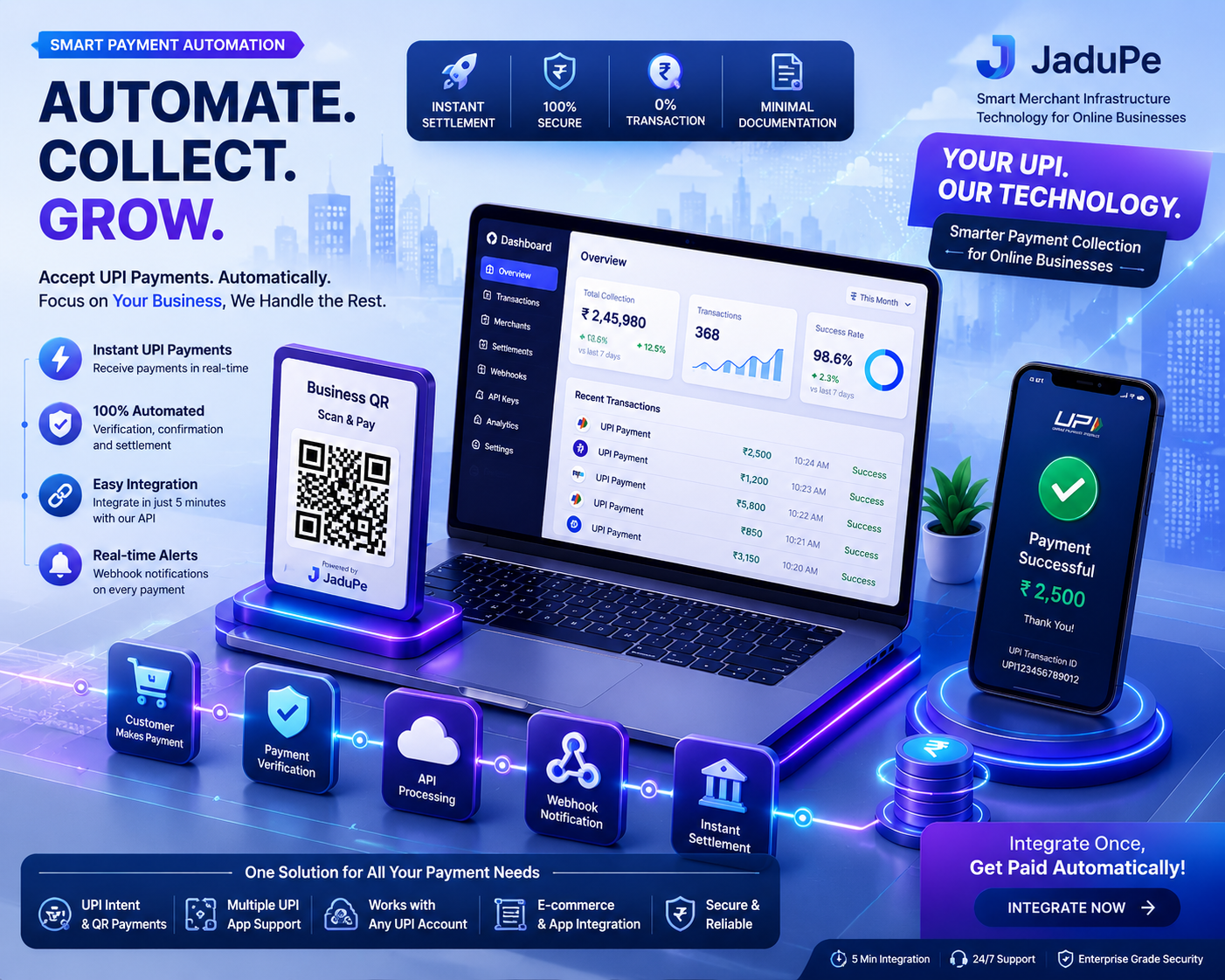
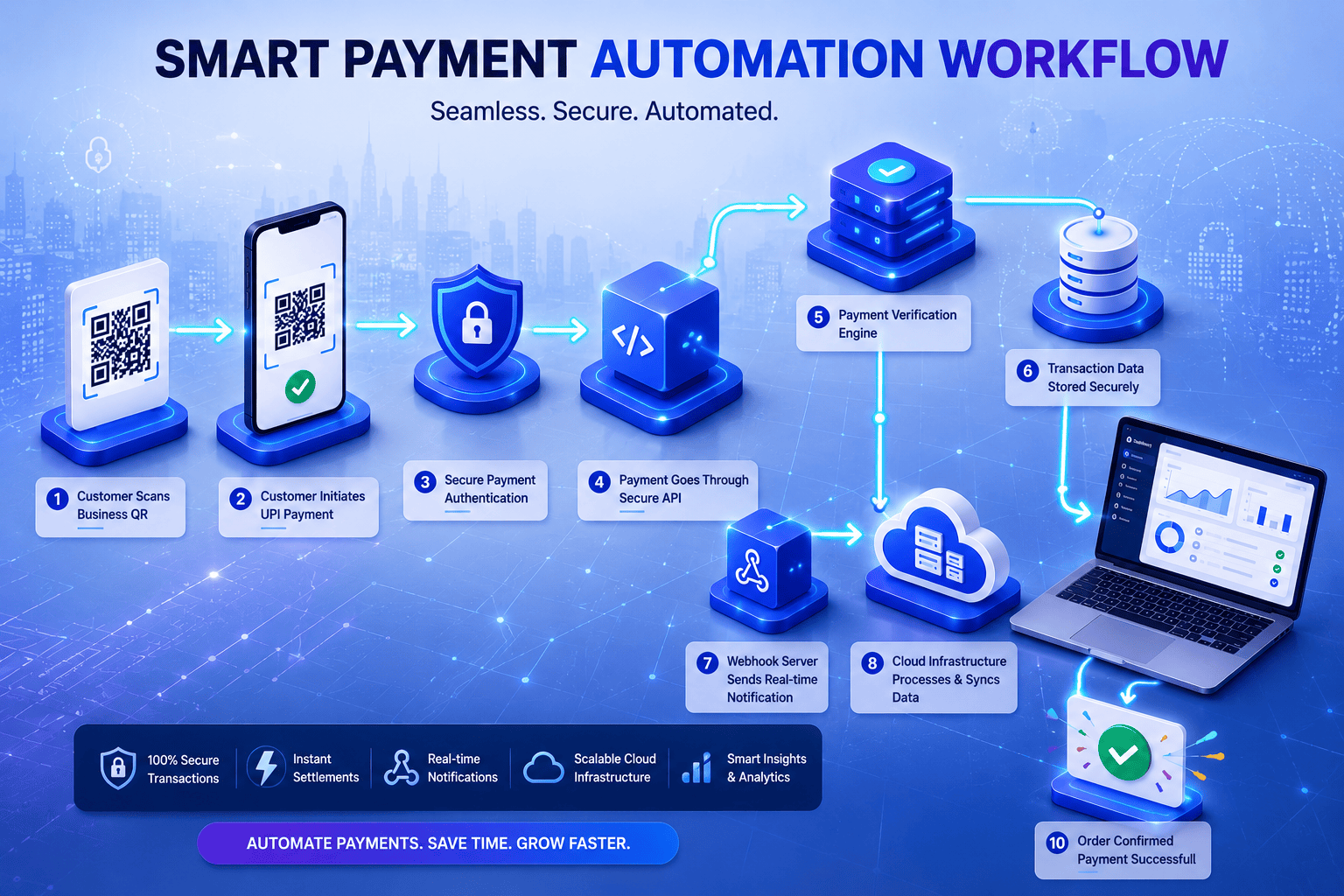
A modern payment automation workflow typically follows these steps:
Step 1: Customer Places an Order
The customer selects a product or service.
Step 2: Payment Request is Generated
The system creates a Business QR Code or payment link.
Step 3: Customer Completes Payment
The customer pays using any supported UPI application.
Step 4: Automatic Verification
The payment is verified automatically.
Step 5: Order is Updated
The system marks the payment as successful and updates the order status.
Step 6: Confirmation
The customer receives payment confirmation instantly.
The entire process can be completed in seconds without manual verification.
Benefits of Payment Automation
1. Saves Valuable Time
Instead of checking hundreds of payments manually, automation verifies transactions instantly.
Your team can focus on growing the business instead of performing repetitive administrative work.
2. Faster Order Processing
Customers expect immediate confirmation.
Automated payment verification reduces waiting time and improves customer satisfaction.
3. Reduces Human Errors
Manual processes often result in:
- Wrong payment confirmation
- Duplicate entries
- Missing transactions
- Incorrect order updates
Automation significantly reduces these risks.
4. Better Customer Experience
Customers appreciate:
- Instant payment confirmation
- Faster delivery
- Smooth checkout process
- Reliable payment experience
Happy customers are more likely to make repeat purchases.
5. Increases Business Productivity
Your staff no longer spends hours verifying payments.
Instead, they can focus on:
- Customer support
- Sales
- Marketing
- Business expansion
6. Improves Cash Flow
Payments are processed quickly, allowing businesses to confirm orders faster and maintain smoother cash flow.
7. Scales with Your Business
Whether your business processes:
- 20 payments daily
- 500 payments daily
- 10,000 payments daily
Automation helps maintain consistent efficiency.
How Payment Automation Increases Revenue
Many business owners think automation only saves time.
In reality, it also contributes directly to business growth.
Faster Checkout
Quick payments reduce cart abandonment.
Better Customer Retention
Customers prefer businesses with fast payment confirmation.
More Orders Processed
Since manual work decreases, businesses can handle more customers.
Reduced Operational Costs
Less manual effort means lower administrative expenses.
Higher Conversion Rate
A smooth payment experience encourages more successful purchases.
Businesses That Benefit from Payment Automation
Payment automation is useful for almost every online business.
Examples include:
- eCommerce Stores
- Digital Product Sellers
- SaaS Companies
- Educational Platforms
- Coaching Institutes
- Agencies
- Travel Companies
- Healthcare Providers
- Subscription Businesses
- Service Providers
- Freelancers
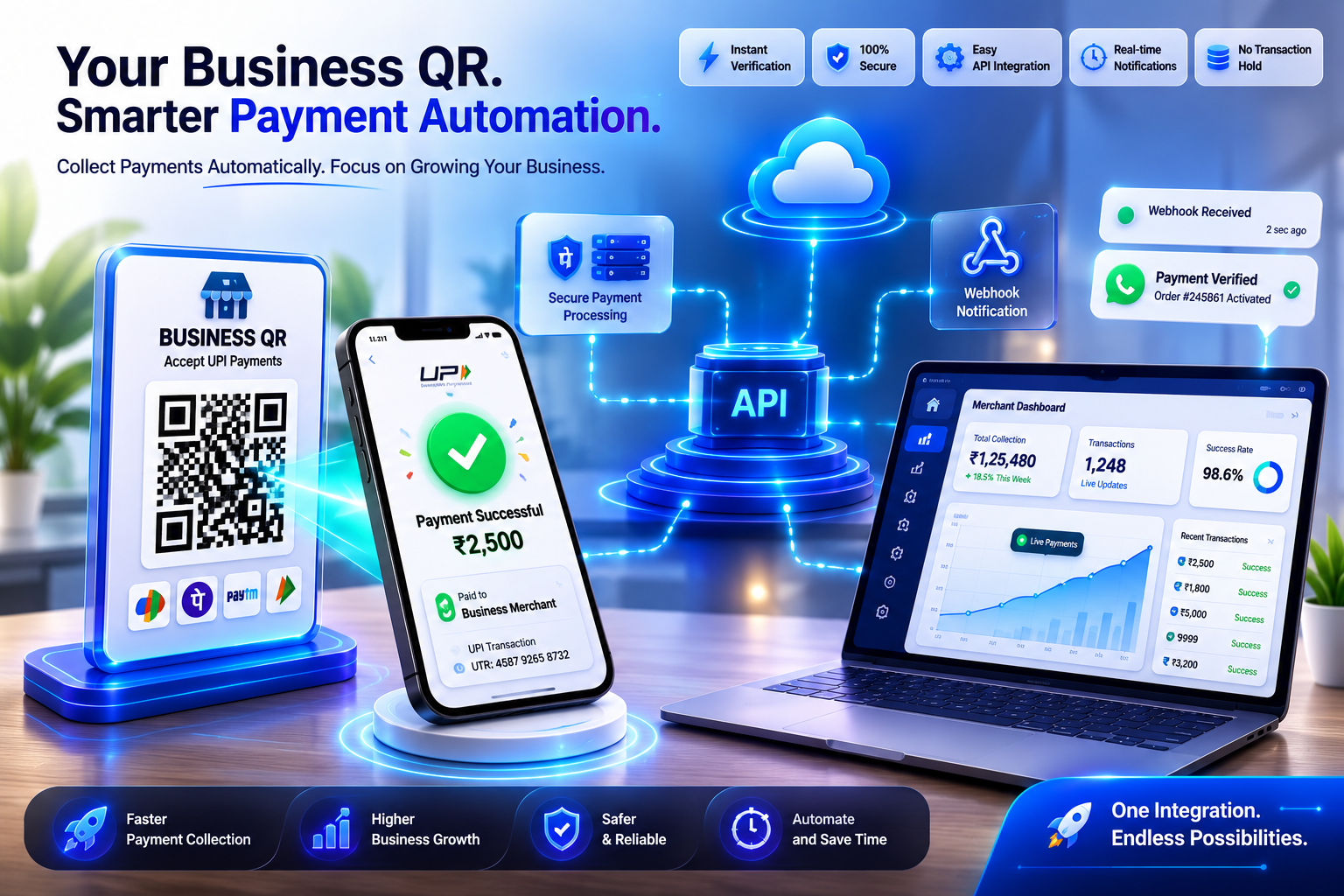
Key Features to Look for in a Payment Automation Solution
When selecting a payment automation platform, consider features such as:
- Business QR Support
- Dynamic QR Generation
- Payment Links
- Merchant UPI Integration
- Instant Payment Verification
- Webhooks
- API Integration
- Dashboard & Reports
- Order Status Automation
- Easy Developer Integration
How JaduPe Helps Businesses Automate Payments
JaduPe is designed to help businesses simplify payment collection using their own merchant payment infrastructure.
With JaduPe, businesses can:
- Generate Business QR Codes
- Automate payment verification
- Integrate payment APIs
- Receive webhook notifications
- Create payment links
- Connect with websites and mobile applications
- Reduce manual payment management
Instead of spending valuable time checking payments manually, businesses can automate their workflow and focus on growth.
Best Practices for Payment Automation
To maximize efficiency:
- Use Business QR Codes instead of personal QR codes.
- Automate payment verification wherever possible.
- Integrate webhooks for instant status updates.
- Monitor payment reports regularly.
- Keep customer payment confirmations automated.
- Regularly review your payment workflow to identify bottlenecks.
Conclusion
Payment automation is no longer a luxury—it has become an essential part of modern business operations.
By reducing manual work, improving payment accuracy, speeding up order processing, and enhancing customer experience, businesses can operate more efficiently while creating opportunities for higher revenue and long-term growth.
For businesses looking to streamline payment collection and automate repetitive payment tasks, adopting a reliable payment automation solution can be a valuable investment.
Frequently Asked Questions (FAQ)
1. What is payment automation?
Payment automation is the process of automatically collecting, verifying, and managing payments using software instead of manual methods.
2. How does payment automation save time?
It eliminates manual payment verification, reduces repetitive administrative tasks, and automatically updates payment statuses.
3. Can payment automation improve business revenue?
Yes. Faster payment processing, better customer experience, reduced operational costs, and quicker order fulfillment can all contribute to increased revenue.
4. Which businesses should use payment automation?
Any business that receives regular online payments, including eCommerce stores, agencies, SaaS platforms, coaching institutes, healthcare providers, and digital service companies.
5. Is payment automation secure?
Modern payment automation solutions use secure payment verification, APIs, and webhook-based communication to improve reliability and reduce manual errors.
6. What is the difference between manual and automated payment collection?
Manual payment collection requires human verification, while automated payment collection verifies payments instantly using technology.
7. Does payment automation support Business QR payments?
Yes. Many payment automation platforms support Business QR Codes, allowing customers to make quick UPI payments while enabling automatic verification.
8. Can developers integrate payment automation into websites or mobile apps?
Yes. Most modern payment automation solutions provide APIs and webhooks for integration with websites, mobile applications, and business software.
9. How can JaduPe help automate payment collection?
JaduPe helps businesses automate payment collection through features such as Business QR generation, payment verification, payment links, APIs, and webhook integration, allowing businesses to streamline their payment workflows using their own merchant infrastructure.